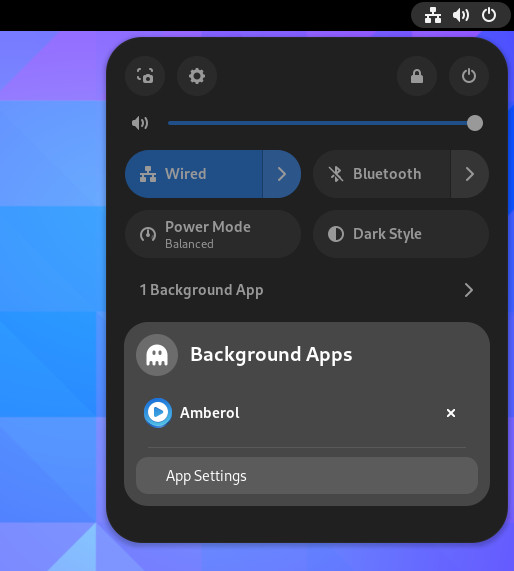
i switched from GNOME to KDE just a few weeks ago. the main reason was that i thought GNOME had become unstable on fedora 42 because my session started crashing rather frequently. since i was already using some KDE applications i thought i'd give it a try.the switch cost me a week of productivity until i had it configured the way i liked it. (which was mostly to make it similar to GNOME/Mac with a main bar at the top and a dock at the bottom)
the biggest painpoints after switching were: KDE and GNOME use a different wallet for keys. signal ties its keys to that wallet and does not allow me to switch. that's frankly very bad. key management should be desktop agnostic. this screams for a systemd solution.
when setting up the panel, it took me 3 days to find the spacer widget, hidden in a submenu in the panel settings. it was extra confusing because there was also a kind of spacer/separator in the list of widgets. it wasn't until i watched a video that showed me the right spacer. except in the video the spacer was not hidden in a submenu, which is weird. you can see the old location here: https://youtu.be/MpeY-XjdiNU and the new locaton here: https://youtu.be/03FbIo_KnsY why did they change that? i would have found the it much faster in the old location.
i used activities instead of virtual desktops, mainly because that's how i used GNOME's virtual desktops before. each desktop had a dedicated functionality. KDE activities allow me to add specific settings for each and name them. the downside, activities are sorted by names, so i had to prefix them with numbers.
GNOME's virtual desktop handling was something that had annoyed me anyways. either desktops are dynamic, which means if i close all windows the desktop disappears, and then i have to make a dance to reopen it, or i use a fixed number of desktops, but then i can't easily add new desktops if i need them. KDE activities can't be created quickly either, but it has both, so if i need some space i can get an additional virtual desktop on the activity where i need it.
KDE still supports decorating windows. most apps can work with that and don't use their own decorations. that makes my desktop look more consistent. because some apps have built in decorations that are just appalling.
a big issue that KDE fixed for me was that in GNOME when windows want attention, they just show up on your active desktop, with no other indication that the window wanted attention. the thing is, i saw this happening for a long time without understanding why. only after switching to KDE where instead the app icon in the panel was highlighted i even understood what was going on.
what i miss from GNOME: the KDE file chooser does not warn me right away if a file i want to save already exists. in GNOME the save button changes to a red replace. in KDE the existing file is just highlighted. it asks if i want to overwrite, but still the GNOME way to handle this is much better.
i had some issues with windows not remembering their position. they were only few because most windows were maximized anyways. in GNOME i just lived with it. in KDE i fixed the problem with a window rule.
one blast from the past was windows remembering their size wrong if the window manager added borders to a window. the window would ask its size and get the value with the borders, and then on next start it would apply that size to itself without borders so at each start the window grew by the thickness of the borders. i remember that happening many years ago under X11 with the classical bordered window managers. a window rule fixed that issue quickly.
one more thing. the desktop keeps crashing. so i suspect that it's an issue with GDM. i tried to switch to SDDM and then plasmalogin, but the crashes kept coming with SDDM too, and plasmalogin does not show a list of user accounts. on a multiuser desktop i need that. both also do not remember the chosen desktop per user like GDM does, so i have to stick with GDM for the time being.
overall my impression is that GNOME is more polished while KDE is more configurable and has a number of minor issues. since i was fine with the default GNOME configuration, i didn't win that much here. most issues in KDE were easily fixed through explicit configuration or workarounds. i long avoided KDE specifically because of to much configurability. i felt it gets in the way. when i tried it before i felt it was to easy to accidentally change the configuration. a friend of mine told me he had dozens of extensions on GNOME. i only had very few. anyways, in KDE i didn't need any extensions, but i added a few themes.
i'll stick with KDE for now, mainly because it does make it easier to fix issues (there are still some minor warts i need to figure out, but much less than what i put up with in GNOME) and i use some KDE apps like dolphin, KDE connect and kphotoalbum.